Octo8
Recto
PDFs to a specification.
A PDF built to a specification — a target file size, a page layout, a printed ID card. Everything happens on your iPhone. Nothing is uploaded, because there is nowhere to upload it to.
Compressed on device
33,7 MB2,3 MB
93% smaller.
In TestFlight now. No date promised — it ships when it is right.

What it does
Six things, done properly.
Compress to a target size
Pick a size — for email, for the web, or a number you type — and Recto works toward it, then tells you what it actually achieved. Pages that are mostly text are carried through byte-for-byte instead of being flattened into pictures, so text that was already there stays selectable.
Photos to PDF
Choose photos and compose them into a document with controlled page size, margins, and fit. Rotate any page. Orientation from the camera is honoured, so a photo taken sideways lands upright.
ID card, at true size
Front and back on a single A4 page at 85.6 × 54 mm — the real dimensions of the card in your hand. Print it at 100% and measure it.
Organize pages
Merge documents into one. Extract pages into a new file. Reorder by dragging, rotate, delete. Page moves are lossless: the original page objects are carried across, never re-rendered.
Scan a page
Use the camera when the document is on the table rather than in your photo library. Edge detection and perspective correction come from iOS itself.
Keep it, or send it on
Everything you make stays in the app, searchable. Export to Files, print it, or share it anywhere iOS can reach.
How it goes
Bring something in
Photos from your library, a page from the camera, or a PDF you already have.
Say what it should be
A layout, a page size, a file size. Recto composes toward the specification rather than guessing.
Take it away
Save it to Files, print it, share it. It stays in your library too, in case you want it again.
Screens
What it looks like.
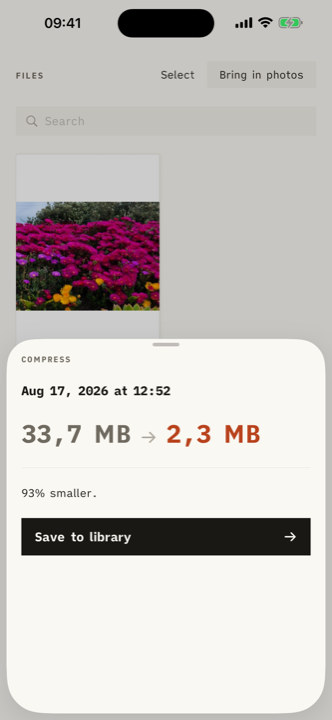
Compress
33,7 MB to 2,3 MB. The number is the point.
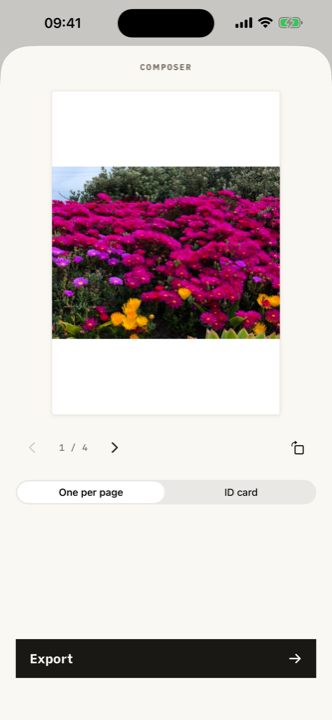
Composer
Photos laid onto pages, one per sheet, any page rotated.
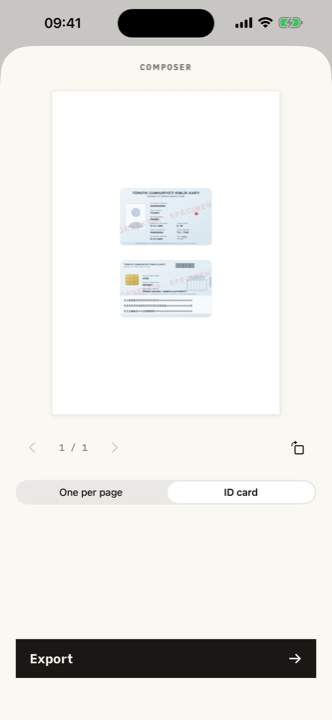
ID card
Both faces on one A4 page at true physical size.
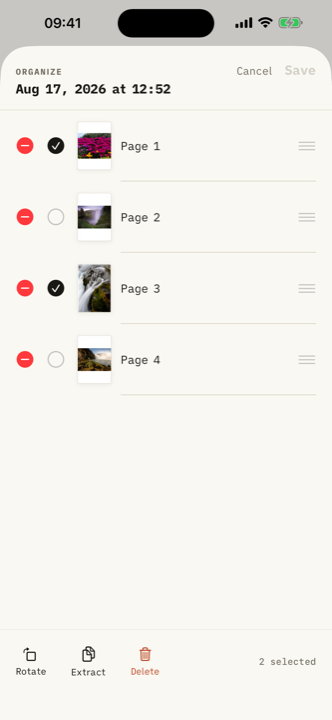
Organize
Drag to reorder. Select to rotate, extract, or delete.
Home
Two ways in, and what you made last.
Questions
Reasonable things to ask.
No uploads. No watermarks. No task limits.
Every one of those is a plain statement of how the app is built, not a policy that could change on a Tuesday.
In TestFlight now. No date promised — it ships when it is right.